【Unity】Input.GetKeyでキーボードの入力を検知できない場合の対処法
Input.GetKeyでキーボードの入力を検知できない状態になりました。
以下のようなよくある実装になります。
void Update()
{
if (Input.GetKeyDown(KeyCode.Z))
{
Debug.Log("Z Key Down");
SetTimeScale(5f);
}}
ググるとUnity再起動で治るとかありましたが、私の場合治りませんでした。
▼対処方法
GameタブがSimulatorになっているのをGameに変更すると動作するようになりました。
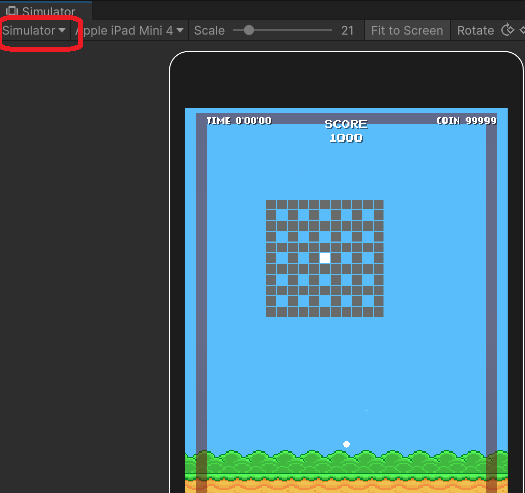
↓SimulatorをGameに変更
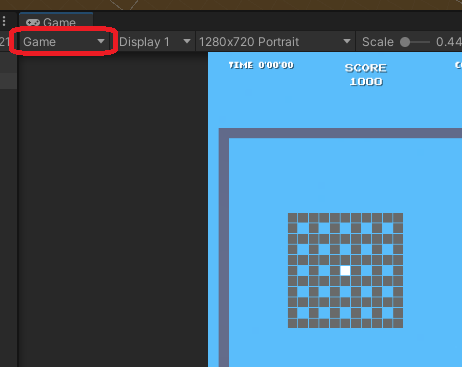
確認バージョン:Unity 2022.3.28f1
Unityで利用するVisualStudioを2019から2022に変えた
Visual Studio 2022がリリースされていたので、ダウンロードしてインストールしました。
Visual Studio 2022 の新機能 | 無料ダウンロード - Visual Studio
インストールしただけでは、Unityが利用するVisualStudioに変更がありません。
- メニューからEdit->Perfernces... を選択
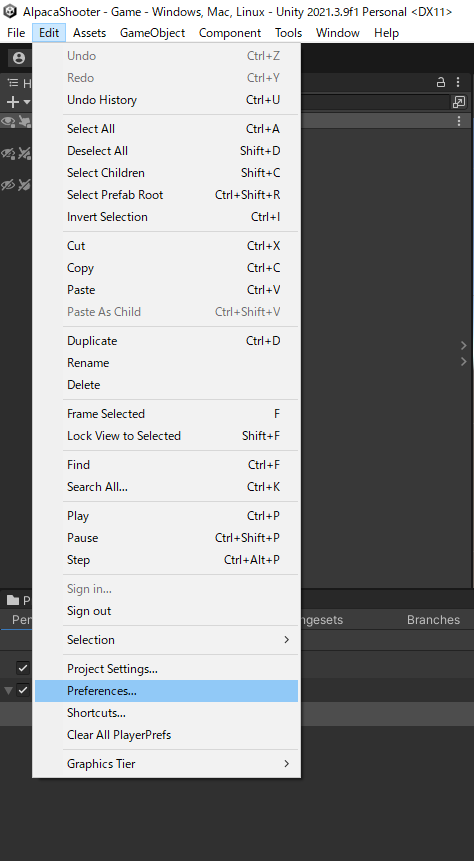
- 使用するエディタを2022に変更することで

- ソースのアセットをダブルクリックするなどでVS2022が開くようになりました。
- ただ、Unity開発に必要な物がインストールされていなかったので以下の警告が出ました。
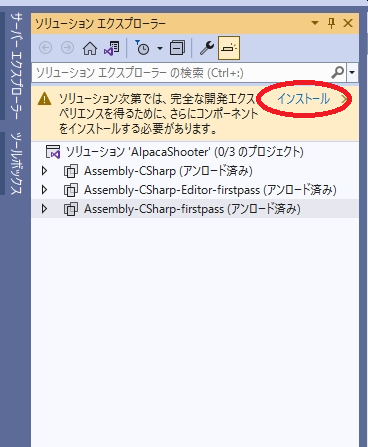
- インストールをクリックし、提案されているものをインストール
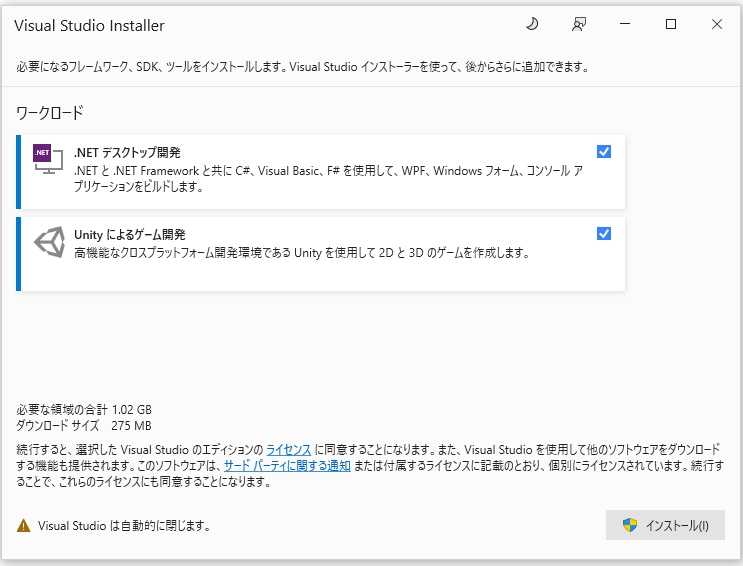
以上で、VisualStudio2022で開発できるようになりました。
【環境】
Windows 10 Pro
Unity 2021.3.9f1
Microsoft Visual Studio Community 2022 (64 ビット) - Current
Version 17.3.1
【Ubuntu】lsやtree コマンドでファイルサイズをKB/MBで表示する -hオプション
定期的に利用するのでメモ
-h オプションで確認可能
$ ls -lh
合計 36M
-rw-rw-r-- 1 username username 2.3K 6月 6 13:44 README.md
-rw-rw-r-- 1 username username 33M 6月 6 13:42 test1.model
-rw-rw-r-- 1 username username 3.2M 6月 6 13:42 test2.model
$ tree -h
.
└── [4.0K] test
├── [2.3K] README.md
├── [ 32M] test1.model
└── [3.1M] test2.model1 directory, 3 files
バージョン確認
$ cat /etc/issue
Ubuntu 20.04.4 LTS \n \l
$ ls --version
ls (GNU coreutils) 8.30
Copyright (C) 2018 Free Software Foundation, Inc.
License GPLv3+: GNU GPL version 3 or later <https://gnu.org/licenses/gpl.html>.
This is free software: you are free to change and redistribute it.
There is NO WARRANTY, to the extent permitted by law.作者 Richard M. Stallman および David MacKenzie。
$ tree --version
tree v1.8.0 (c) 1996 - 2018 by Steve Baker, Thomas Moore, Francesc Rocher, Florian Sesser, Kyosuke Tokoro
